

"I can never tell which list is the latest."
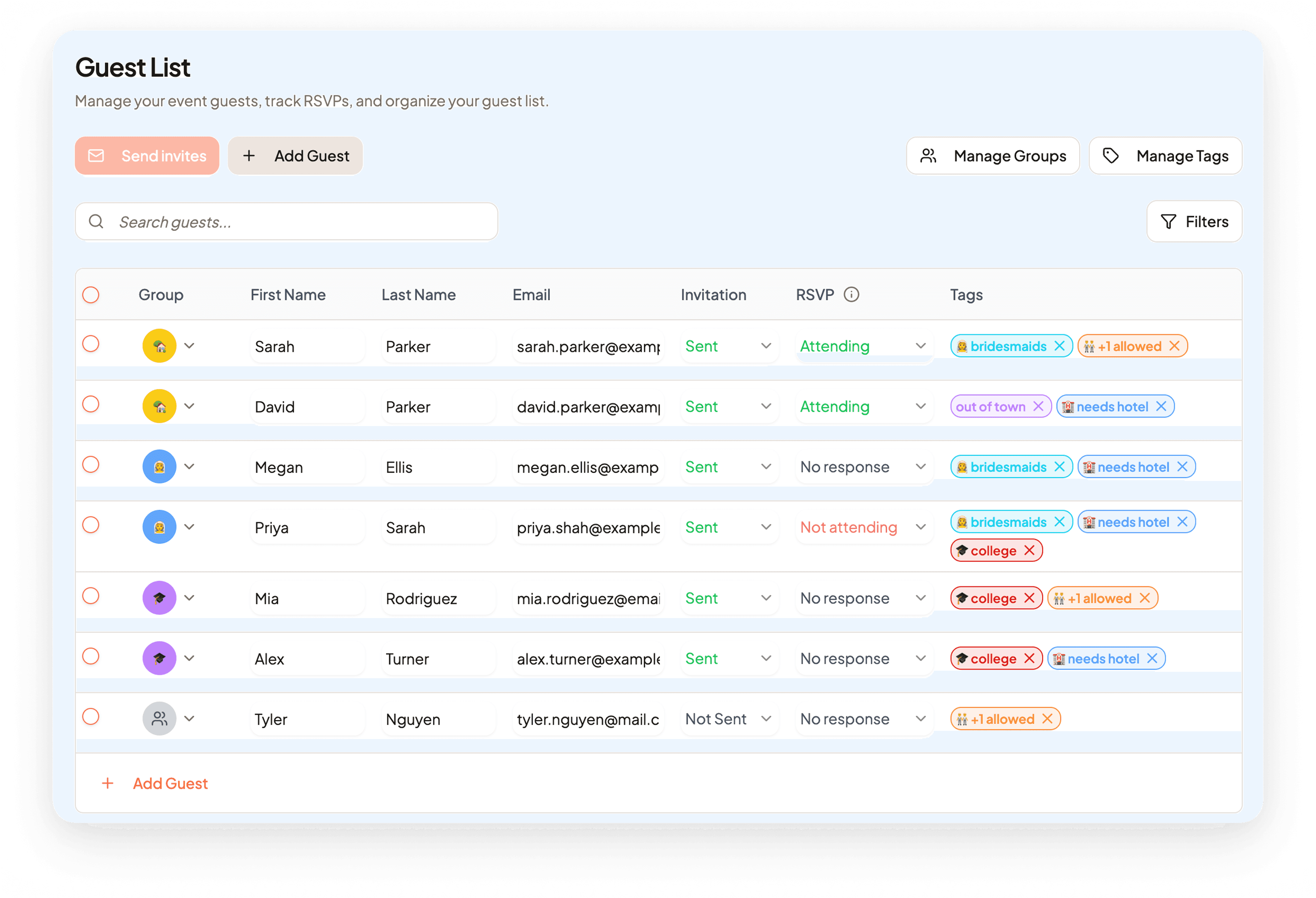
Keep every guest, group, tag, invitation status, and RSVP status in one place so you stop second-guessing your numbers.
Feature
Celebrate helps you manage your wedding guest list, track RSVP responses, and organize invitations for weddings and baby showers. Add guests quickly, organize them into groups, tag what matters, send beautiful digital invites, and always know exactly where every reply stands.
Why event planners choose Celebrate
Celebrate replaces fragile spreadsheets with one guest list manager that stays clear even as plans, invitations, and RSVP statuses keep changing.
"I can never tell which list is the latest."
Keep every guest, group, tag, invitation status, and RSVP status in one place so you stop second-guessing your numbers.
"Updating guests takes too many clicks."
Edit guests directly in place with a familiar spreadsheet-style flow, so adding and updating your list feels fast instead of tedious.
"We need a better way to organize families, vegans, and bridal party guests."
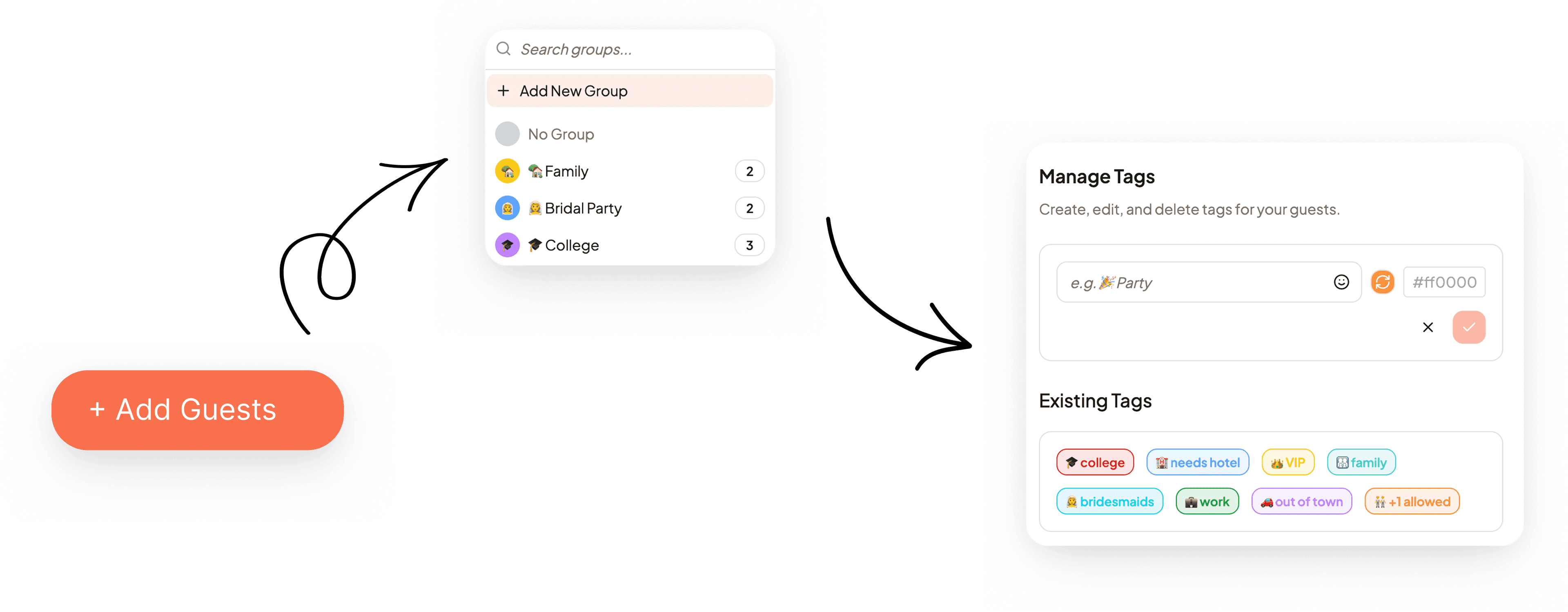
Create groups and custom tags that match your event, then instantly see the guest segments you actually need to manage.
"Once invitations go out, tracking replies becomes a mess."
See invitation and RSVP statuses side by side, so you always know who has been invited, who replied, and who still needs a follow-up.
How the guest list manager works
Built for weddings and baby showers
Made for the events you are planning - more on the way
Managing a wedding guest list involves tracking hundreds of names, family groups, dietary needs, plus-ones, and RSVP replies across months of planning. Celebrate keeps every detail in one place so you never lose track of who is coming, who has been invited, or who still needs a follow-up - from save the dates through final headcount.
A baby shower guest list manager needs to be quick to set up and easy to share with co-hosts. Celebrate lets you add guests in minutes, group them by side of the family, and track who has confirmed - without any spreadsheet complexity or version confusion.
We are working on bringing the same smooth guest list experience to birthday parties. If you are planning a birthday celebration, join the waitlist and be the first to know when it launches.
What this unlocks
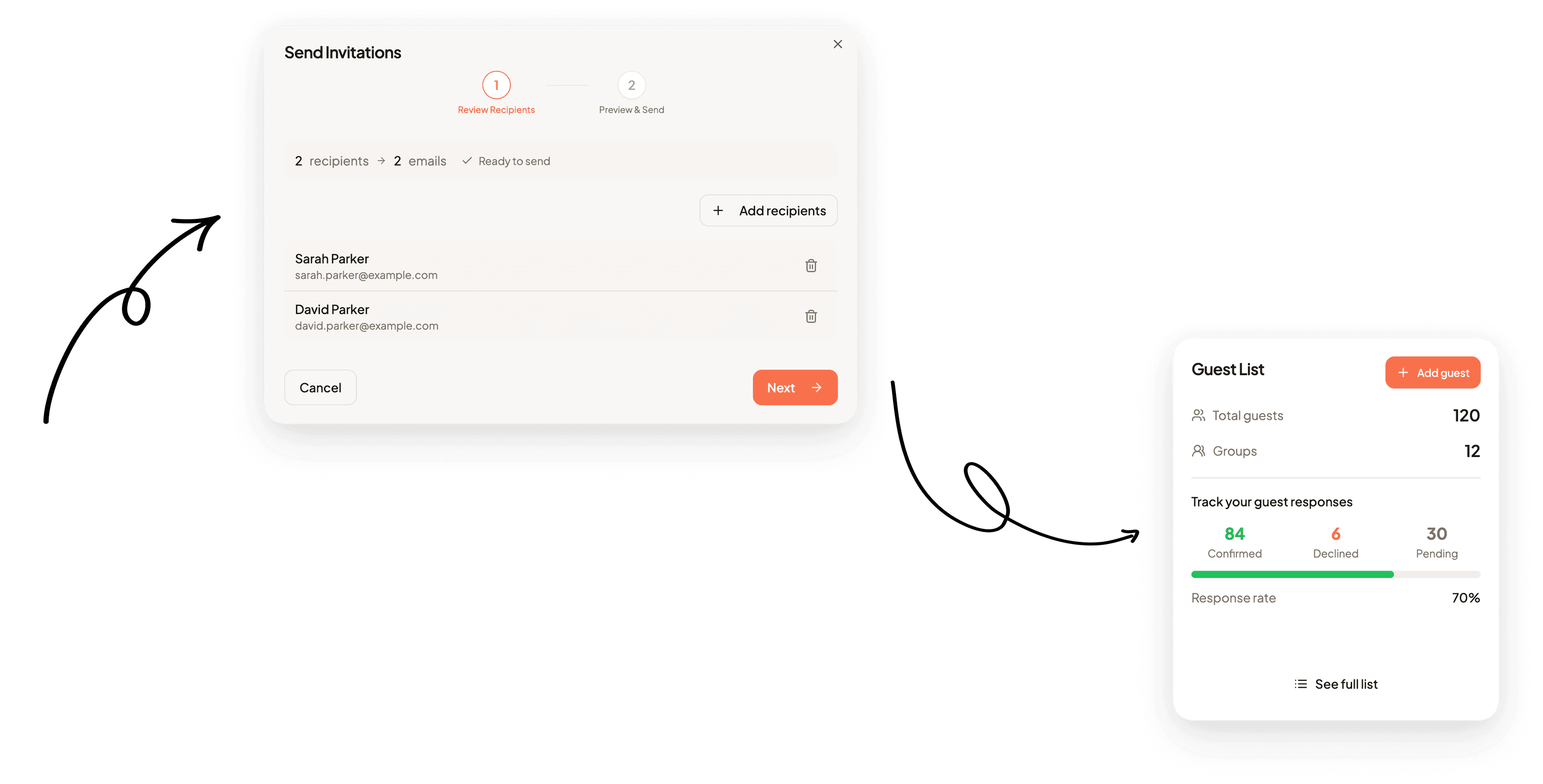
When your guest list is already organized into the right groups, collecting RSVPs feels smoother for guests and far easier to track for you.
Explore Digital RSVPs
Celebrate lets you batch-send digital invitations directly from your guest list, with invitation statuses updating as your communication goes out.
Explore Online Invites
Once your list is grouped, tagged, and updated with attendance, it becomes much easier to move from guest management to table planning.
Explore Seating Plan
FAQ
Sign up for Celebrate for free, create your event, and start adding guests using the inline editor. You can add names, contact details, dietary preferences, and group guests into households - all without a spreadsheet.
The best wedding guest list app is one that keeps invitations, RSVPs, groups, and tags all in one place - so you always have an accurate headcount. Celebrate is built specifically for this, replacing scattered spreadsheets with one always-up-to-date list.
Yes. Celebrate fully supports baby shower guest lists alongside weddings. You can add guests, group them by family side, track confirmations, and send digital invitations - exactly the same experience as a wedding. Support for birthday parties and other event types is on the roadmap and coming soon.
Yes, you can start for free. Create your event, build your guest list, and explore all features without a credit card.
Yes. You can place guests into groups, which makes it much easier for one person to reply on behalf of the whole household or family.
Yes. Once invitations are sent and guests reply, Celebrate updates those statuses so you can see progress at a glance without chasing anyone manually.