

"The venue is asking for final numbers and I still don't actually know."
Your dashboard shows confirmed, declined, and pending counts live. When the caterer calls, you have the real number ready without opening a single spreadsheet.
Feature
Let guests confirm attendance from any device, individually or as a group. Each RSVP is verified against your guest list so only invited guests can respond, and every reply flows straight into your list without any manual work on your end.

Why event planners choose Celebrate for RSVPs
Chasing replies over text, email, and phone while updating a spreadsheet by hand drains weeks of planning time. Celebrate automates the whole flow.
"The venue is asking for final numbers and I still don't actually know."
Your dashboard shows confirmed, declined, and pending counts live. When the caterer calls, you have the real number ready without opening a single spreadsheet.
"Families keep asking if they can just reply for the whole household."
When a guest looks themselves up, everyone in their group appears on the same form. One person confirms for the whole household in a single submission.
"Every time someone replies I have to update the list myself."
Replies flow directly into your guest list the moment someone submits. Confirmed, declined, and pending counts update automatically on your dashboard.
"I want the RSVP form to feel like part of our wedding, not a generic survey."
The form inherits your event website's colors and typography, so guests experience one consistent, personal flow from invitation to confirmation.
How online RSVP works
Built for weddings and baby showers
The right RSVP tool for the event you are planning
Wedding RSVPs involve families, couples, and large household groups stretched across months of back-and-forth. Celebrate's group confirmation means one family member responds for everyone invited together, your headcount updates automatically, and you always know the real number without chasing individual replies.
A baby shower guest list is usually smaller but often involves close family and friends coordinating together. Celebrate gives you the same clean online RSVP experience: a secure form your guests reach from the event page, with replies landing straight in your list.
We are working on bringing the same smooth RSVP experience to birthday celebrations. Join the waitlist to be the first to know when it launches.
What this unlocks
Because RSVP and the guest list are the same system in Celebrate, every reply updates your data directly — no imports, no copy-pasting, no separate tools to reconcile.
Explore Guest List Manager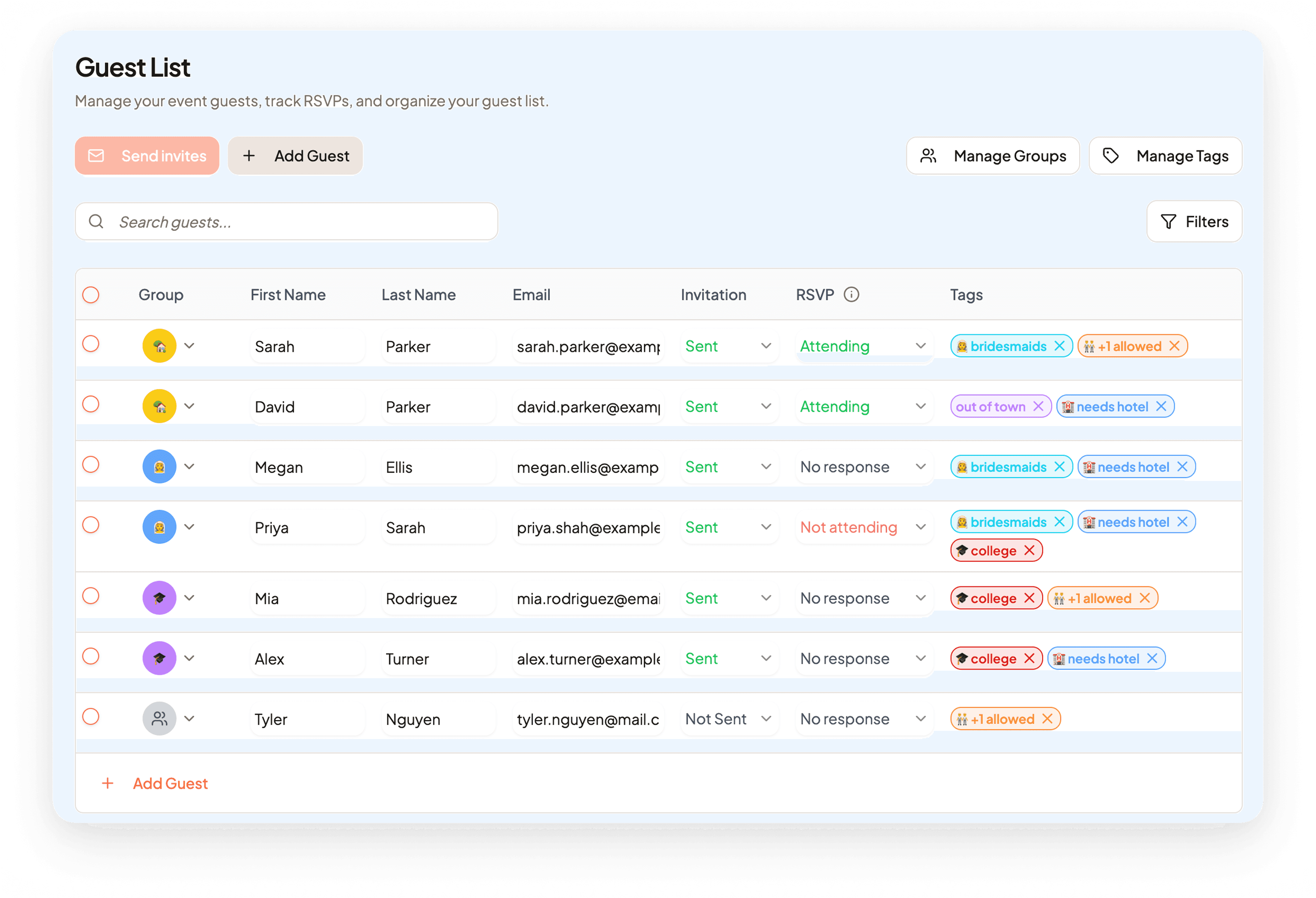
When you publish your Celebrate event website, the RSVP form is already there. Guests go from reading your event details to confirming attendance without leaving your page.
Explore Website Builder
Once RSVPs are in, your confirmed guests are ready to be placed at tables. No re-entering names or copying data across tools.
Explore Seating Plan
FAQ
Guests visit your RSVP link, enter their name and the event code from their invitation, and are matched to their record. If they are in a group, everyone in the household appears on the same form so they can all confirm at once.
Yes. Guests who are placed in a group in Celebrate see every member of their household on the form. One person selects attendance for each and submits everything in a single step.
Yes. Guests need both their name and a unique code that you share on invitations to access the form. Only people on your guest list can submit a response, which keeps your headcount accurate and prevents uninvited replies.
Yes. Every submission updates the attending status in your guest list instantly. Your confirmed, declined, and pending counts on the dashboard always reflect the latest responses without any manual work.
Yes. The form inherits your event website's colors and typography so guests see one consistent, personal experience from your invitation through to their confirmation.
Custom questions — like meal choice, dietary preferences, or song requests — are on the roadmap and coming soon. When launched, guest answers will be visible directly in your guest list so you can act on them without switching tools.